




Less Is More Blog Productivity Tips

Order your electronic copy of the survey report ($19.95 for a limited time)

Social Media Survey Report

The survey about the use of e-mail and Social Media has been completed and the survey report is now available. Learn more and order your copy!

Download Free eBook

The Results Curve(tm): How to Manage Focused and Collaborative Time.

Download now 

Join our Free Webinars

Less-is-more Blog by Pierre Khawand

Current Articles | RSS Feed RSS Feed

Google Chromebooks: What are they? (part 1)


Guest blog article by Steve Loosley, Tech Blogger

It’s Monday morning, and you’re in a hurry for work. As you back out of the garage, you feel a sudden bump. Startled, you jerk to a stop, jump out, and discover that your car just flattened your computer.

Face it. You just ruined your day.

If you use a conventional laptop running Windows, Mac OS X, or some flavor of Linux, it will take all day to setup a new computer, assuming, of course, that you have a backup.

But, if you’re on a Google Chromebook, no worries! You can setup a new Chromebook in less time than it takes to grab a Frappuccino on your way to work. You’ll be working full speed before you finish your morning fix.
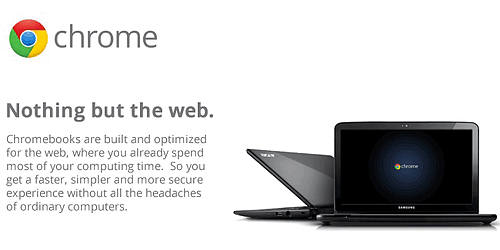
Chromebook 1

What is a Google Chromebook?

A Google Chromebook is a laptop computer that runs the Chrome Operating System, an open source operating system based on Linux that Google began developing in 2009.

A Google Chromebook

  • runs one program, a Chrome web browser; 
  • boots in 8 seconds and resumes instantly;
  • lasts up to 10 hours on a single charge; 
  • updates itself automatically; 
  • continuously improves itself; 
  • sets up in less than 10 minutes;
  • is always backed up;
  • is completely secure;
  • is immune to malware and viruses; 
  • weighs just over 3 lbs; and
  • accesses the web on WiFi or 3G.

Try the following experiment to see if your ready for a Chromebook. On your computer

  • download and install Chrome, Google’s web browser; 
  • close all applications; 
  • start only the Chrome browser; and 
  • do all of your work in your browser.

“All of my work?” you ask. “How can I possibly do all of my work in only a browser?”

If you’re a Google Apps user, you know the answer: You use Gmail for email; Google Calendar for your appointments; Google Docs for word processing, spreadsheets, and presentations; Picasa to view and edit photos; and Google Music Beta to stream your tunes.

What do you think? Can you do all of your work in a web browser? Please share your thoughts in the comments below. 

Additional Resources

Google Chromebooks - Google Chromebook Website

Accomplishing More Virtually-in Second Life - Upcoming Popular People-OnTheGo webinar

People-OnTheGo Complete Webinars Schedule and Registration (Q4, 2011)

Comments

All of my work, no. Most of my work, probably. I think there is a large portion of the population that would indeed find this an adequate way to conduct their online interests and tasks.  
 
However, I would be severely limited if I couldn't use my Adobe Creative Suite programs or be able to access virtual environments that I often work within. I'm sure even that will change one day though.
Posted @ Monday, October 17, 2011 7:55 AM by Sandy Adam
Sandy, excellent insights! In a later post, we're going to examine some a Chromebook's limitations, including the one that you've mentioned, Adobe Creative Suite. You might be interested to know that Photoshop Express (http://www.photoshop.com/tools) is Adobe's first move to a web-version.
Posted @ Monday, October 17, 2011 12:17 PM by Steve Loosley
Chromebooks are targeted to specific types of users that want an easy, portable Internet browsing device. They are not meant to replace the traditional PC or laptop. 
 
In addition, there are third party apps out there that can bridge the gap for Chromebook users that require occasional access to those tools found only in a Windows environment. For example, if a Chromebook user needs quick, easy, temporary access to a Windows desktop or Windows app, they can use Ericom AccessNow, a pure HTML5 RDP client that enables Chromebook users to connect to any RDP host, including Terminal Server (RDS Session Host), physical desktops or VDI virtual desktops – and run their applications and desktops in a browser. 
 
Ericom‘s AccessNow does not require Java, Flash, Silverlight, ActiveX, or any other underlying technology to be installed on end-user devices – an HTML5 browser is all that is required. 
 
For more info, and to download a demo, visit: 
http://www.ericom.com/html5_RDP_Chromebook.asp?URL_ID=708
Posted @ Sunday, November 06, 2011 11:11 AM by Adam
Post Comment
Name
 *
Email
 *
Website (optional)
Comment
 *

Allowed tags: <a> link, <b> bold, <i> italics

Subscribe by Email

Your email:

Write your comments!

We want to hear from you. Please write your comments in the blog and let us know what you think. We are eagerly awaiting your insights, tips, and suggestions!